Display Cumulative Calculation of Room Revenue When Creating Reservations
Stay displays the cumulative calculation of room revenue (room rate + tax) for the entire duration of a reservation in the Estimated Charges section of the Book a Reservation screen and the Reservation screen when users create reservations using monthly rate plans.
Feature Setting
The following feature setting must be enabled to use this feature:
-
Name: Post Accumulated Revenue
-
Value: Must be enabled
-
Comments: License is not required
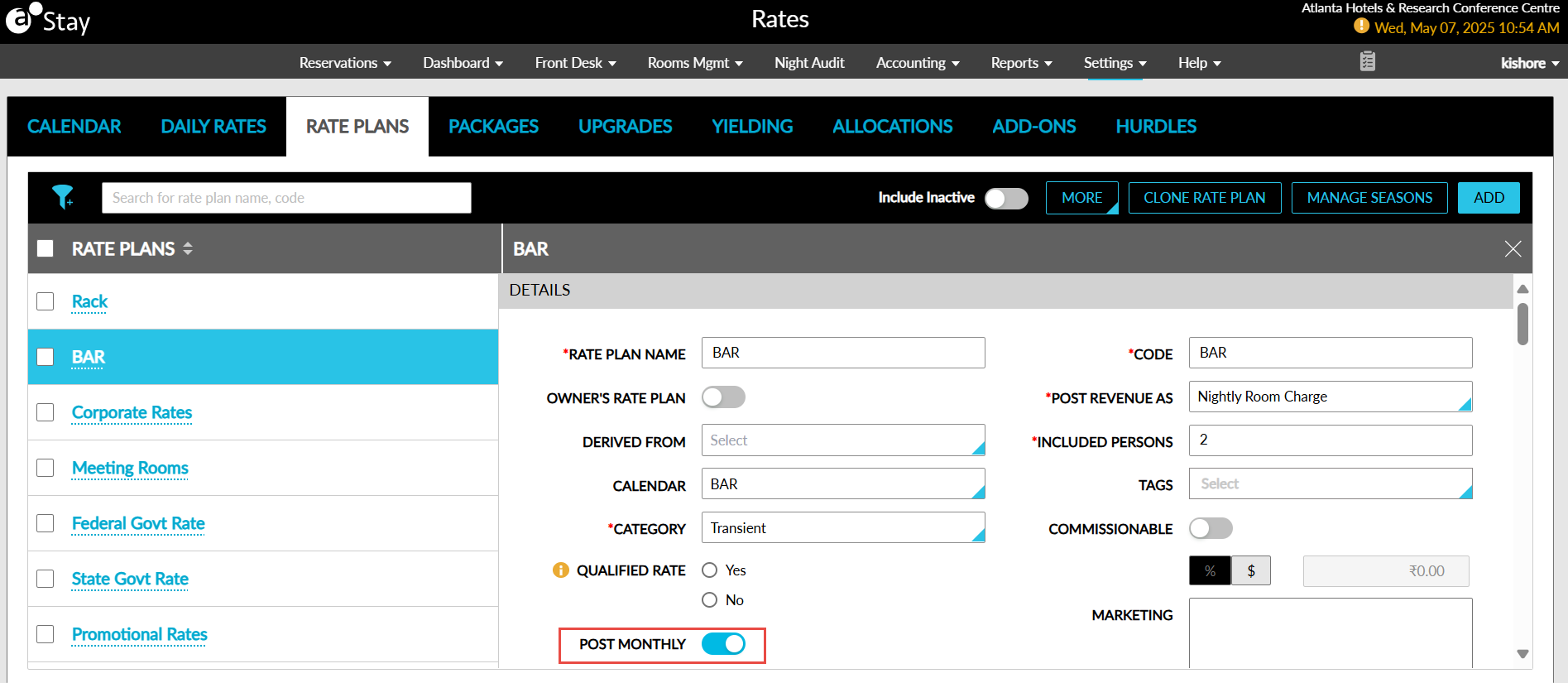
When the feature setting is enabled, users can enable the Post Monthly flag on the Details section for the preferred rate plans. When enabled, the room revenue for the reservations created using this rate plan is posted cumulatively. The rate plans for which the Post Monthly flag is enabled are referred to as monthly rate plans.
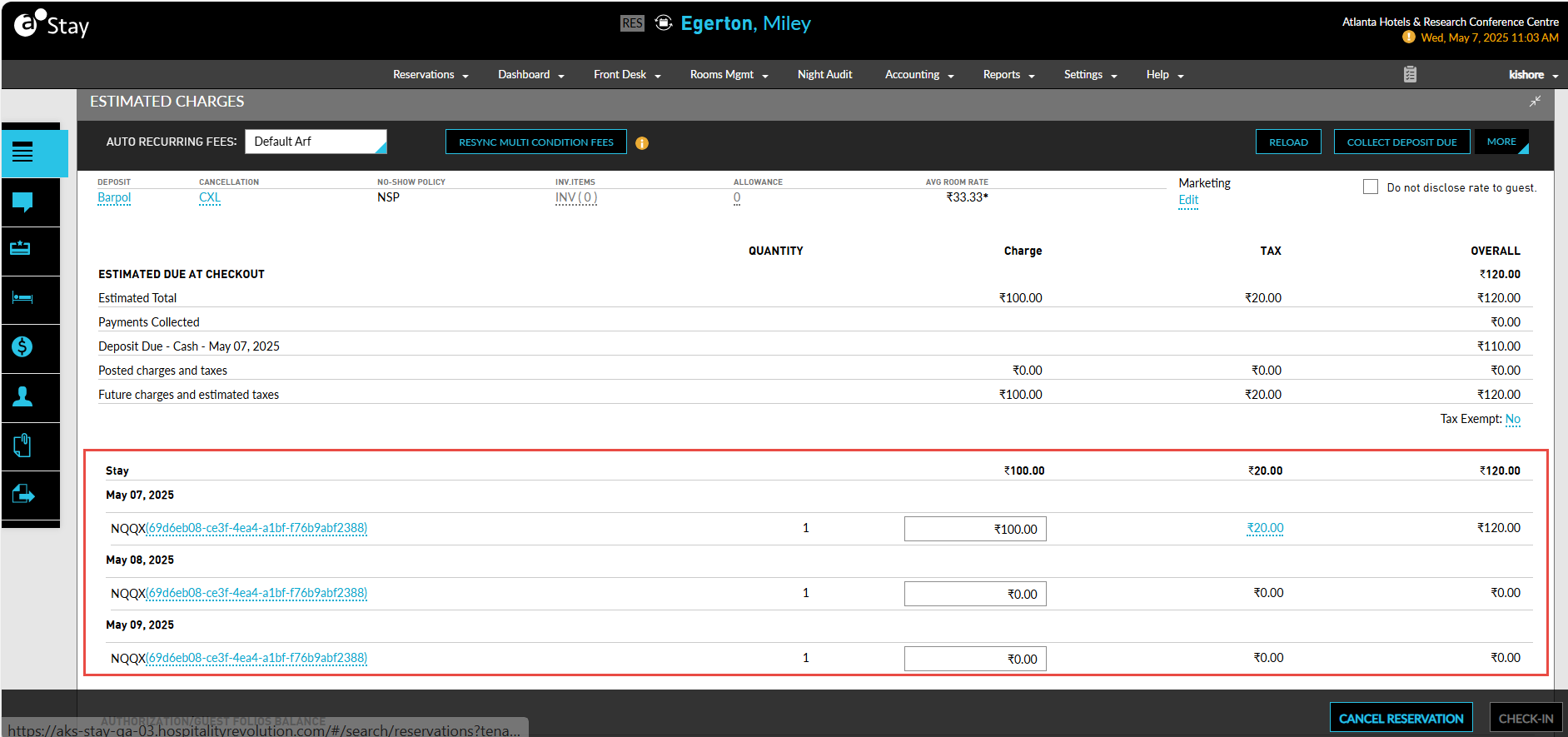
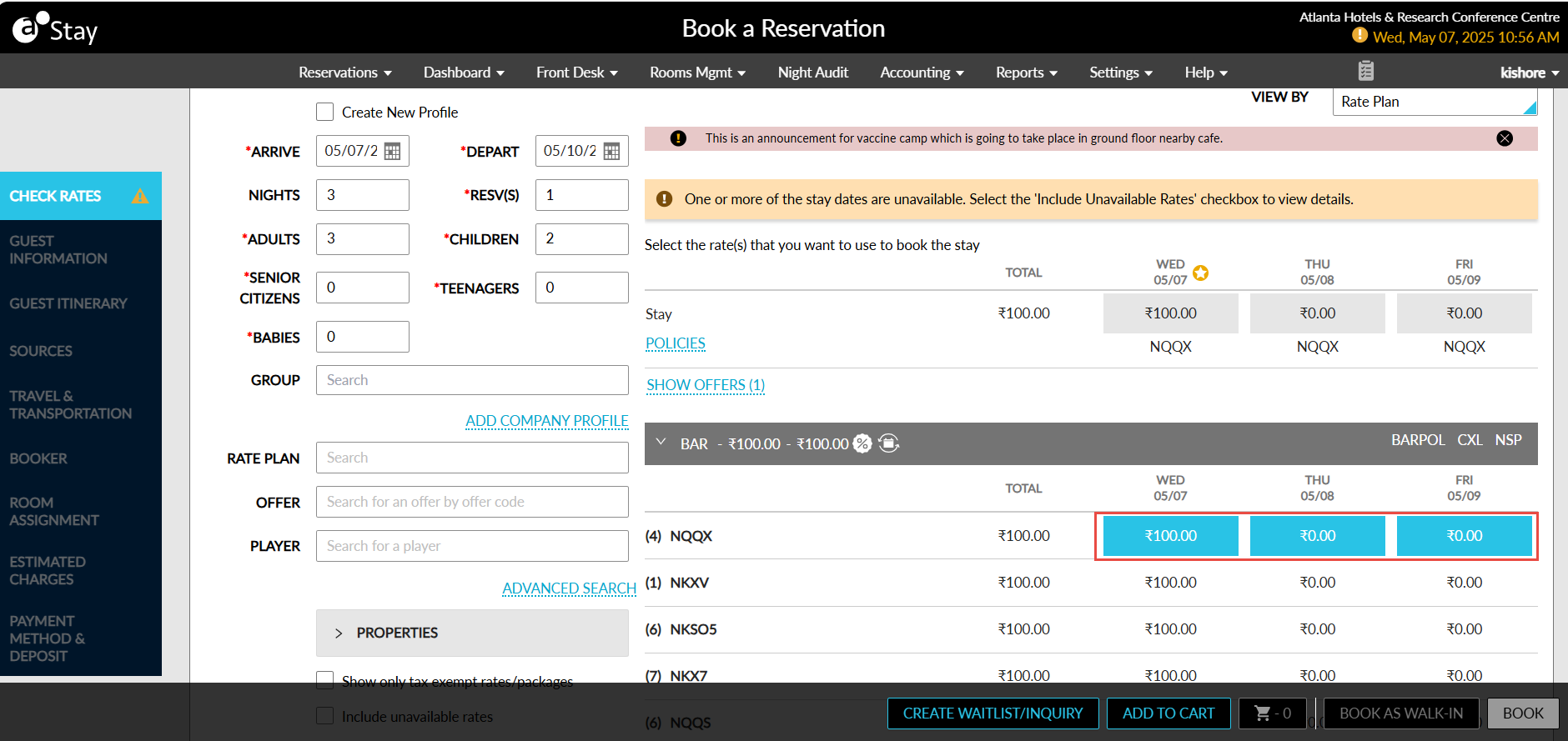
The room revenue is calculated cumulatively and displayed in the Book a Reservation screen under the rate plan for the selected arrival and departure dates, in the Estimated Charges section, and the Reservation screen.
The following are the various scenarios for which the room revenue is calculated cumulatively:
-
When the duration of the reservations falls within the same month, the room revenue configured in the monthly rate plan used for the arrival date of the reservation is posted on the arrival date after the reservation is checked in, and for the remaining nights, the room revenue is displayed as $0.
For example, assume a guest is set to arrive at the property on May 07, 2025, and depart on May 10, 2025, the room revenue for the reservation, that is, the rate configured in the monthly rate plan for May 7th is posted on that date after the reservation is checked in and for the remaining nights the room revenue is posted as $0.
-
When the duration of the reservations extends to subsequent months, the room revenue for the first month is posted on the arrival date of the reservation and for the subsequent months, the room revenue is posted on the first day of the month based on the rates configured in the monthly rate plan for the arrival date and the first day of the subsequent month.
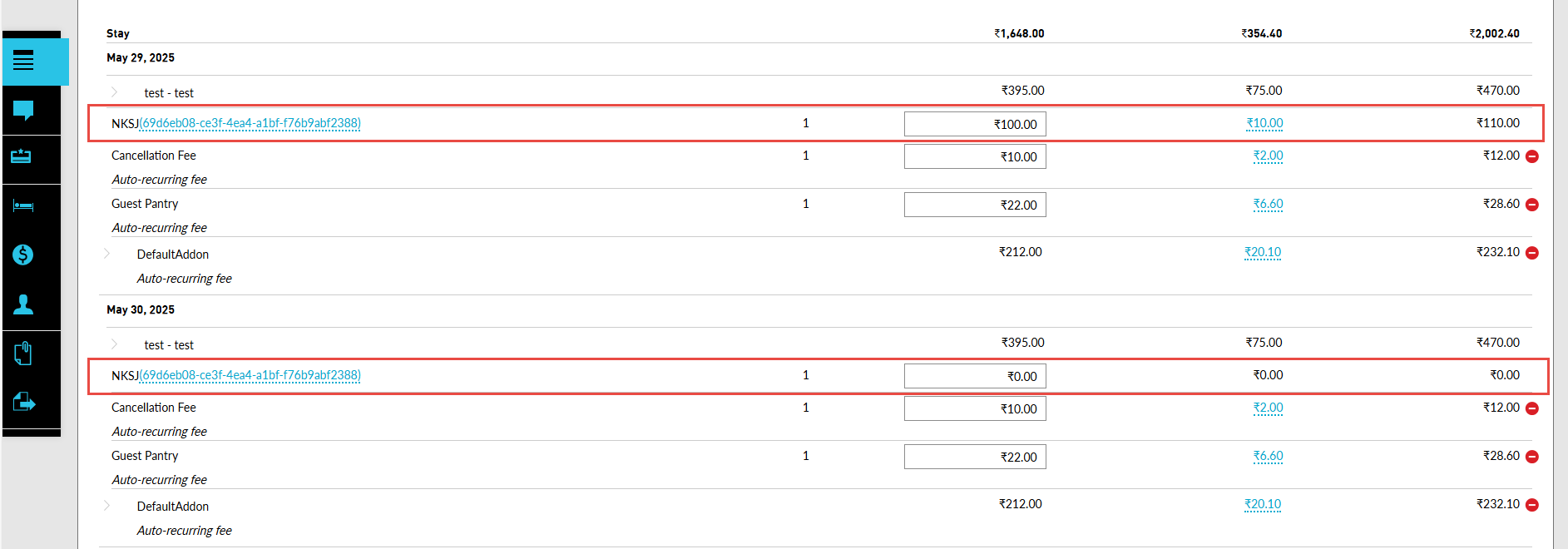
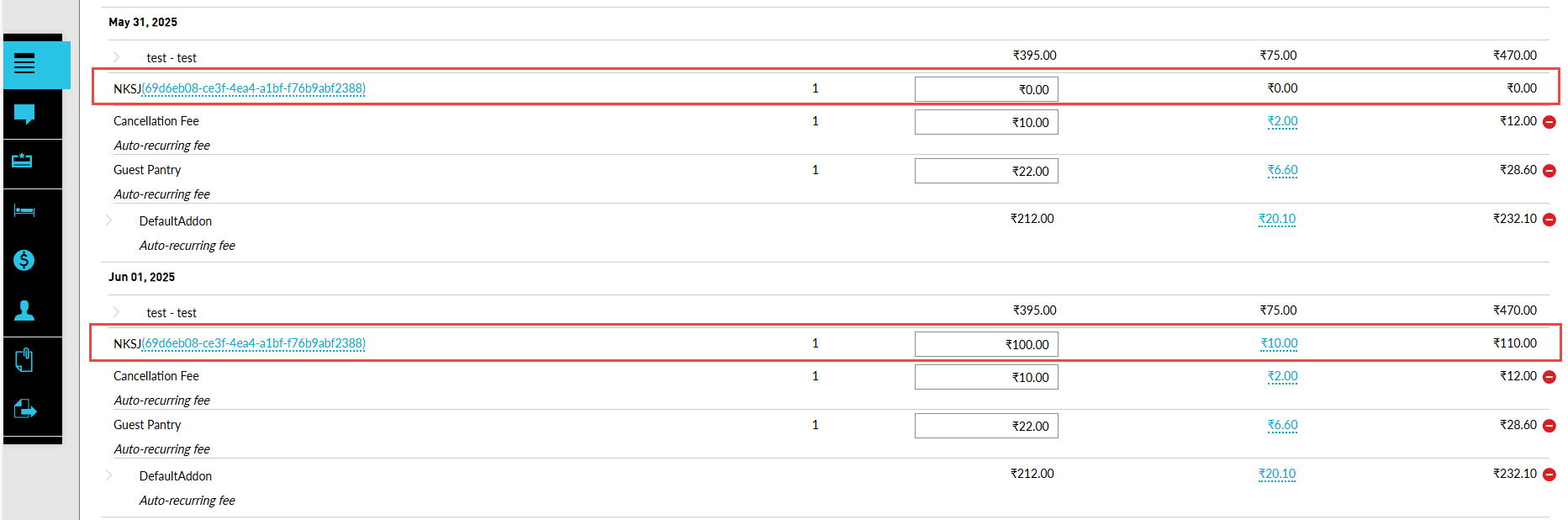
For example, assume a guest is set to arrive at the property on May 29, 2025, and depart on June 02, 2025, created from a monthly rate plan with auto recurring fees configured, the room revenue from May 29th to 31st is posted on May 29th and the room revenue from June 1st to 2nd is posted on June 1st. The auto recurring fee is posted as per the frequency configured in the monthly rate plan used.
-
When reservations are created using both monthly and daily rate plans, the room revenue is posted cumulatively for the dates for which monthly rate plan was used and posted daily for the dates for which daily rate plan was used.
For example, assume a reservation created from August 24, 2023, to August 29, 2023, using a monthly rate plan for the dates August 24th to August 26th and daily rate plan for the remaining dates, August 27th to August 29th, the room revenue for the dates for which monthly rate plan was used is posted on August 24th and for the dates for which daily rate plan was used is posted daily.
When users extend/shrink the duration of the reservation, and when the modified dates fall within the same month, the room revenue for the reservation is posted on the arrival date of the reservation. When the modified dates fall in the subsequent months, the room revenue for the first month is posted on the arrival date of the reservation and for the subsequent months, the room revenue is posted on the first day of the month.
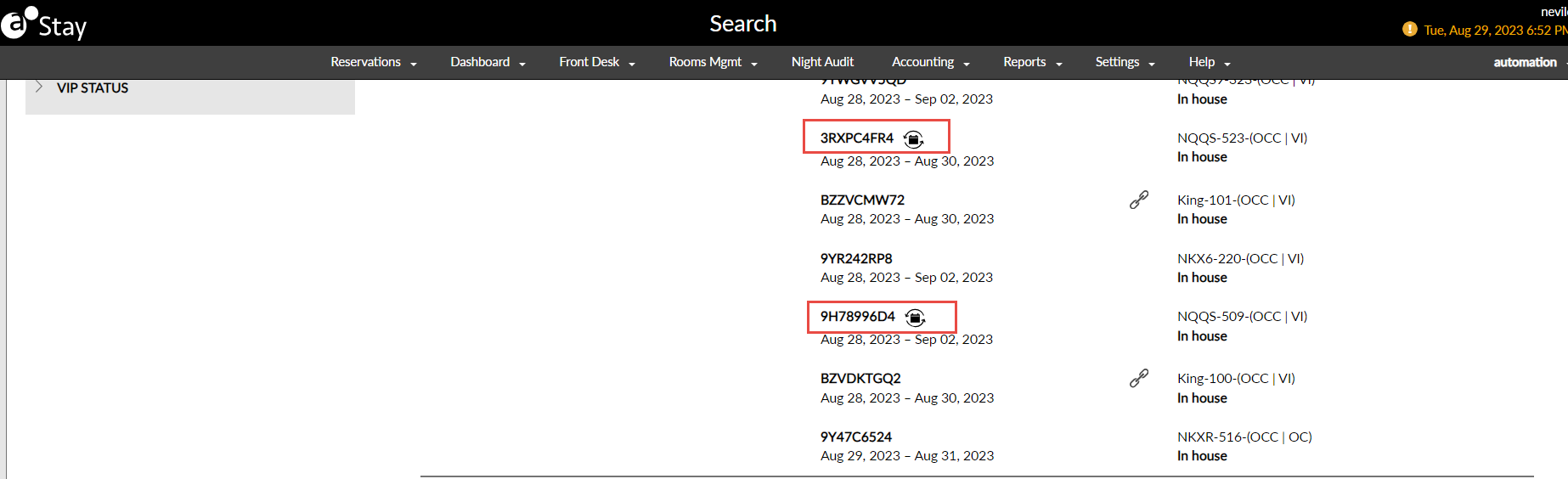
The reservations created using monthly rate plans are indicated by an icon displayed in the Search screen and the Reservation screen next to the guest’s name.